Our fine nation is plagued by many problems, not the least of which is the need to leave our beds, ever, for any reason. One of the many reasons we, as victims of our own responsibility, must venture from our warm-spots is to shutdown our computers before we go to sleep. BUT WAIT! SHIVER NO MORE! Now with this savior of a powershell script you can fall asleep watching your favorite movies and shows, without waking up to an angry mob of Eco-Warriors.
INTRODUCING: Sleepy-Video.ps1


That’s right, a right click, and you’re ready to fall asleep to the soothing sounds of Game of Thrones. Ah the Rains of Castemere, nothing puts you at ease like that little ballad.
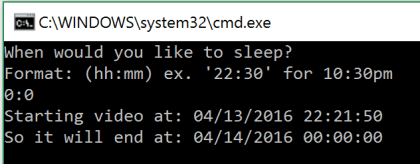
Running this handy script will prompt your way through installing and activating one or both of the amazing menu items bundled in this miracle script. ‘Watch Now then Shutdown’ to play your favorite movie immediately with a shutdown timed for one minute after the movie ends. Alternatively ‘Watch at Bedtime’ to decide when the computer will shut down, timing the movie to start just in time for bed.
See the Project Page, for more information!
 The Life Programmable